201-450 LPIC-2: Kernel, Storage, Networking, and System Maintenance
Linux Professional Institute currently lists LPIC-2 version 4.5 with two required exams: 201-450 and 202-450. Each exam is 90 minutes with 60 multiple-choice and fill-in-the-blank questions. Candidates can take the exams in either order, but an active LPIC-1 certification is required before LPI awards LPIC-2. The credential itself has a five-year validity period.
Exam 201 is the systems-and-infrastructure half of LPIC-2. Its current topics are capacity planning, the Linux kernel, system startup, filesystems and devices, advanced storage administration, networking configuration, and system maintenance. The level is meaningfully deeper than LPIC-1 because candidates are expected to diagnose bottlenecks, work with kernel and boot behavior, manage complex storage, and maintain networked systems rather than only perform basic configuration.
Preparation should therefore revolve around controlled failure and recovery. A professional administrator needs to recognize resource exhaustion, understand why a boot fails, recover a filesystem, extend or repair storage, and distinguish a local network configuration problem from an upstream service issue. The wider LPI progression is designed so that these tasks build on the command-line, package, filesystem, networking, and security skills established at LPIC-1.
Capacity planning begins with measurement before prediction
LPI’s objectives emphasize CPU, memory, disk I/O, network I/O, firewall and routing throughput, bandwidth usage, and the ability to correlate symptoms with likely bottlenecks. Candidates should know tools such as vmstat, iostat, iotop, sar, ss, lsof, top, htop, uptime, and related utilities well enough to choose evidence for a suspected problem. The key skill is interpretation: high load, high CPU use, blocked I/O, and memory pressure are not interchangeable conditions.
Build a baseline on a lab server, then create controlled pressure. Generate CPU load, write heavily to disk, fill memory, or move data across the network. Observe which metrics change and how user-visible symptoms differ. Capacity planning adds a time dimension: repeated measurements can reveal growth and help predict when a limit will be reached. Graphing or recording trends is more informative than making decisions from one snapshot.
Kernel knowledge should connect components, modules, parameters, and hardware needs
201-450 requires more kernel depth than earlier LPI exams. Candidates should understand kernel images, modules, configuration, compilation concepts, runtime parameters, and how the kernel interacts with hardware. You do not need to become a kernel developer, but you should know why an administrator might load or remove a module, tune a parameter, or build a kernel with specific support.
Use a lab to inspect the running kernel, modules, module parameters, and sysctl values. Compare runtime changes with persistent configuration. If possible, review the stages of building a kernel without turning compilation into rote steps. The important relationship is between a system requirement and the kernel capability that satisfies it. Troubleshooting should begin with evidence about the running kernel, not assumptions based on a distribution default.
System startup problems demand understanding of the path from firmware to services
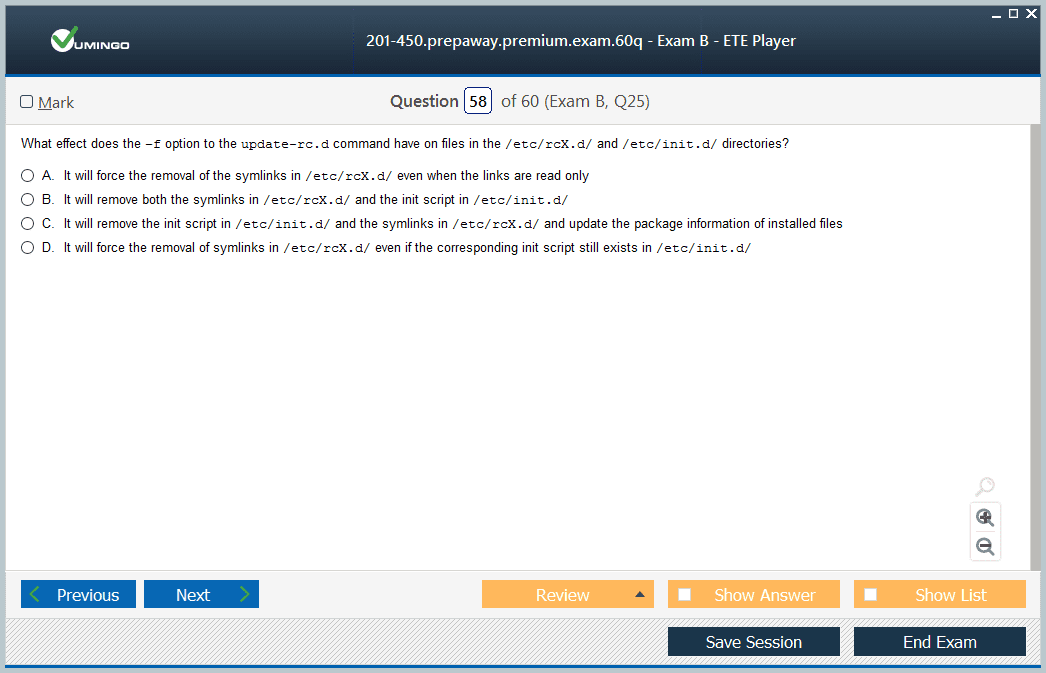
The exam covers bootloaders, kernel startup, initramfs, system initialization, and service management. Candidates should be able to reason about failures that occur before normal multi-user operation. A missing root filesystem, invalid kernel parameter, broken initramfs, failed service dependency, or misconfigured target can produce very different symptoms even though the user experiences all of them as “the server will not boot correctly.”
Practice recovery in disposable virtual machines. Change a boot parameter, inspect the boot journal, enter a rescue target, and restore normal operation. Learn how the bootloader selects a kernel and passes arguments and how the initramfs provides early userspace support. These exercises create a failure sequence you can mentally replay during exam questions instead of relying on memorized configuration filenames.
Advanced filesystem work combines reliability, performance, and recoverability
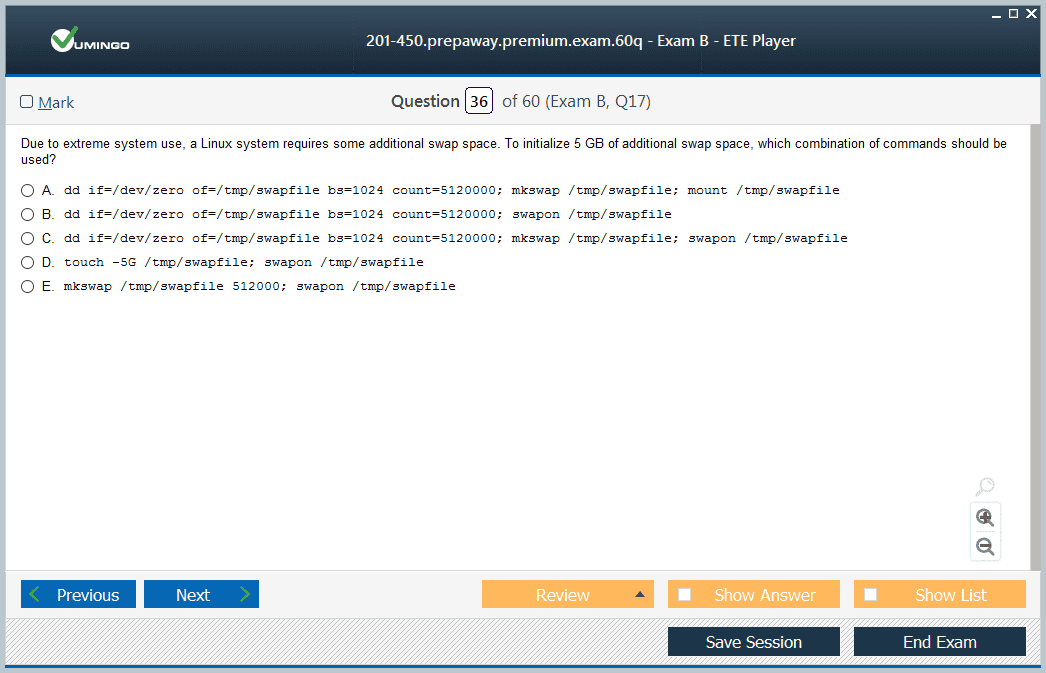
LPIC-2 expects deeper understanding of Linux filesystems, mount options, filesystem creation and maintenance, swap, and advanced features. Candidates should know what happens when a filesystem becomes inconsistent, how journaling affects recovery, and why different workloads can benefit from different filesystem choices or mount behavior. Quotas and permissions may also influence operational outcomes even when storage capacity remains available.
Use virtual disks to create, mount, check, and repair filesystems under safe conditions. Simulate a full filesystem, inode exhaustion, and a mount configuration error. Observe application behavior in each case. The objective is to recognize that a storage incident can arise from capacity, metadata, permissions, device state, or filesystem integrity, and each requires different evidence.
RAID, LVM, and advanced storage should be practiced as layered designs
Advanced storage administration includes concepts such as software RAID, LVM, device-mapper behavior, and other block-storage techniques named in the objectives. Candidates should understand why RAID addresses availability or performance characteristics while LVM addresses flexible volume management; combining them creates layers with distinct failure modes. Treating every storage technology as “more disk space” leads to weak troubleshooting.
Build small arrays and logical-volume layouts using disposable block devices. Create, extend, reduce only when safe and supported, replace a failed member in a practice array, and verify status at each layer. Record the exact order in which devices, arrays, physical volumes, volume groups, logical volumes, filesystems, and mounts appear. That map makes both configuration and recovery questions easier.
Networking configuration becomes more demanding when multiple interfaces and routes interact
The networking objectives require more than setting one IP address. Candidates should understand routing, interface configuration, advanced network troubleshooting, bonding or aggregation concepts, and the tools used to inspect traffic and sockets. A professional Linux host may be a router, gateway, service endpoint, or multihomed server, so the candidate must reason about how packets enter, are forwarded, and leave.
Create a multi-interface lab and configure routes between networks. Change metrics or routes and predict which path will be selected. Capture traffic when the result differs from expectations. Use ss, ip, routing tables, neighbor information, and packet capture together. The habit of following a packet is more robust than memorizing one command for “network troubleshooting.”
System maintenance requires change control, backups, and recovery planning
Maintenance includes software installation from source where relevant, backups, scheduled administrative work, and recovery procedures. Candidates should understand the difference between compiling software and installing a distribution package, including where files are placed and how updates will later be managed. Backup design also requires knowing what data is important, how often it changes, and how restoration will be tested.
Practice restoring data, not merely creating archives. A backup that has never been restored is an assumption. Build a small configuration and data set, back it up, delete or corrupt part of it, and recover to a known state. Document what would be needed after a complete host loss: packages, configuration, credentials, data, boot state, and network settings. This systems view is more valuable than memorizing one backup command.
Troubleshooting should correlate symptoms across resources, boot, storage, and network layers
201-450 becomes manageable when candidates use a consistent diagnostic sequence. Confirm the symptom, identify scope, inspect recent changes, gather metrics and logs, and decide which subsystem is most likely responsible. A slow application might be CPU-bound, blocked on storage, waiting for DNS, losing packets, or stalled by memory pressure. The same user complaint can therefore require very different tools.
Create mixed-failure labs where the obvious explanation is wrong. Make a service appear slow because DNS is misconfigured, or make a boot issue originate from a missing storage device. The goal is to avoid tunnel vision. This is professional-level Linux work: the administrator combines evidence across subsystems instead of applying one favorite fix to every symptom.
201-450 should be studied together with the service layer in 202-450
Exam 201 gives you the platform on which network services run; 202-450 tests many of those services directly, including DNS, web services, Samba, NFS, client authentication, email, and system security. Study the two exams as a stack. Storage, networking, processes, and maintenance from 201 explain many of the failures you will later troubleshoot in 202.
After completing both exams and meeting the LPIC-1 prerequisite, candidates can consider the specialist paths under LPIC-3. Do not rush that step. LPIC-2 is the level where Linux administration becomes cross-system engineering, and 201-450 should leave you comfortable diagnosing the platform itself before you layer more complex services and mixed environments on top.
A final integrated 201-450 exercise should force several layers to interact. Build a host with multiple virtual disks, create a software RAID or LVM layout appropriate to your lab, mount a filesystem persistently, configure more than one network path, install a service, and collect performance data while generating load. Then introduce one failure at a time: remove a route, exhaust storage, stop a required service, or alter a boot parameter. Recover without rebuilding the machine.
Document the evidence that led to each diagnosis. For example, a high load average does not prove CPU saturation; blocked I/O can also contribute. A full filesystem does not always mean block capacity is exhausted; inodes may be the limit. A route can exist but point through the wrong interface. These distinctions are the difference between recognizing a command and administering a system. The exam’s breadth is best handled by repeatedly asking what measurement would discriminate between competing explanations.
When reviewing commands, group them by the evidence they reveal. Some show CPU and memory pressure, others expose disk latency, sockets, routes, filesystem state, or kernel configuration. In a troubleshooting question, first decide what evidence would distinguish the likely causes and only then select the command. This prevents tool memorization from replacing diagnosis and makes it easier to work on unfamiliar Linux distributions where defaults differ.
Finally, rehearse recovery decisions before destructive actions. Know which storage and filesystem commands are safe while mounted, which changes require downtime, and which configuration files should be backed up first. Professional-level knowledge includes recognizing when not to run a command. That caution is part of reliable administration and belongs in exam preparation.





 83% students found the test questions almost same